


Every duka has one: the drawer under the counter, the biscuit tin behind the sugar, the envelope that goes home in a jacket pocket. It holds the day’s takings, the float for change, and a quiet worry about whether the count will add up at closing time.
Now picture that cash box shrunk to a sticker. No coins to hunt for, no torn notes, no customer squinting at a till number painted on a wall and typing it wrong. They point their phone, check the name, enter their PIN, and the money is already where it needs to be.
That is the upgrade Safaricom is betting on with Scan to Pay and Tap to Pay. For a small shop, it may be the cheapest piece of equipment you ever add.


There are three ways for a customer to pay without typing a single number. Which one you get depends on what sits on your counter.
| Option | What the customer does | What the shop needs |
|---|---|---|
| Scan to Pay (static QR) | Scans a printed code tied to your Till, types the amount, enters PIN | A Lipa na M-PESA Till and a QR sticker |
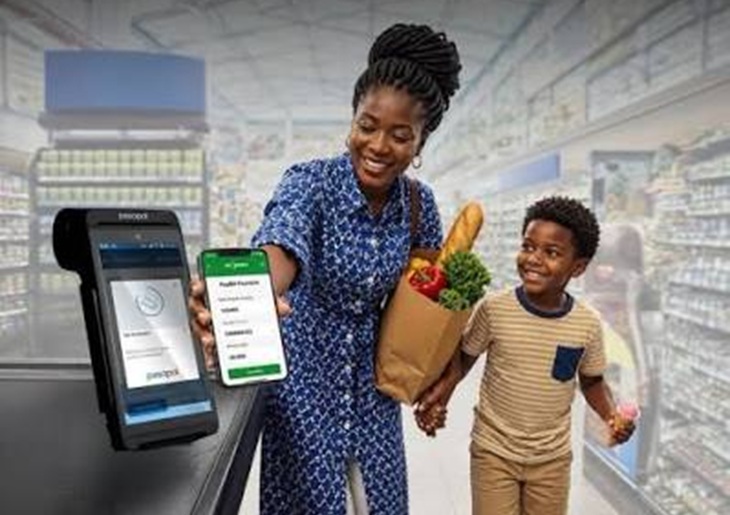
| Dynamic Scan to Pay | Scans a code shown on the card machine; the amount is already filled in | A Pesapal POS terminal |
| Tap to Pay (NFC) | Taps an NFC-enabled phone on the terminal, checks details, enters PIN | A Pesapal POS terminal |
The plain sticker is the big story for small shops. It is already live at more than 60,000 outlets, and Safaricom wants 500,000 within a year.
The flashier tools arrived through a partnership with Pesapal announced on 1 October 2026. Tap to Pay runs on about 30,000 Pesapal terminals, mostly in restaurants, hotels and some supermarkets. Safaricom first switched on M-PESA Tap to Pay in August 2026.
Alongside them sits AI Pay in My OneApp, which reads a printed or handwritten receipt and pulls out the payment details. Whatever the route, the customer still confirms with their PIN.
Why a sticker beats a cash box
A cash box only holds money. A QR code holds money and keeps a record of how it got there. Here is what that changes behind the counter.
- No more wrong-till payments. The till number is read from the code, so nobody types 5 digits instead of 6 or pays the shop next door by mistake.
- Faster queues. Scanning and tapping skip the typing, and dynamic QR skips the amount as well. On a busy Saturday, saved seconds add up to served customers.
- Less change, less risk. Fewer notes in the drawer means less to count, less to lose and less to tempt anyone.
- Books that keep themselves. Every payment lands as a dated, timed record. You can see your best hours, your slow days and your real takings without a notebook.
- A credit history you are already building. A GSMA study on merchant payments notes that digital payments leave a data trail that small merchants can later use to get credit. The sticker quietly builds your case for a stock loan.
- Almost no setup cost. Low-cost QR and tap options let micro merchants accept digital payments without expensive hardware. For a static QR, the hardware is a piece of printed paper.
This matters at national scale too. Kenya has over 7.4 million SMEs contributing roughly 40% of GDP. Small upgrades across that many counters are a big shift.
Getting your shop ready
You can make the switch in an afternoon. Start small and upgrade only when your queue tells you to.
- Get a Lipa na M-PESA Till. Scan to Pay is linked directly to a merchant’s Till Number. If you still take payments to a personal number, this is step one.
- Get your official QR code. Ask Safaricom or your M-PESA business channel for the code tied to your Till. Use only the one they issue.
- Put it where eyes land. Stick it at the counter at chest height, not on a far wall. Add a second copy where people queue. Laminate it against dust and spills.
- Tell customers it is there. A small sign helps: “Scan to pay, no till number needed.” Many shoppers have never tried it.
- Teach your staff one rule. Hand over the goods only after the payment confirmation arrives on the shop phone.
- Look at your statement weekly. Spot your busiest hours, check totals, and keep records ready for a lender or the taxman.
- Consider a POS terminal later. If you also take cards, or you run a busy restaurant or pharmacy, a Pesapal machine adds dynamic QR and Tap to Pay. Pesapal machines already take M-PESA and cards on one device.
Read the fine print
A new cash box still needs a lock. Keep these in mind before you throw out the biscuit tin.
- The app makes it smoother. Customers without My OneApp land on M-PESA’s web checkout, which needs Safaricom mobile data. With the app, the Till is pre-filled and it works on Wi-Fi.
- Limits still apply. Standard M-PESA caps hold: KES 250,000 per transaction and KES 500,000 a day.
- Not every phone can tap. Tap to Pay needs an NFC-enabled phone, and reports suggest it will stay Android-first unless Apple’s policies change. Keep the QR visible for everyone else.
- Tap has been tried before. Safaricom’s 2017 M-PESA 1Tap product failed to catch on. This time it rides on existing card machines, which may help.
- Watch for sticker swaps. As phones become cash registers, fraud risks are rising too. Check your sticker daily so nobody covers it with their own. Never accept a screenshot or a forwarded SMS as proof of payment.
- Keep a little cash. Network outages happen. A small float keeps you trading when the signal drops.
The upgrade is a sticker away
Big retailers had card machines for years while the corner shop made do with a painted till number. Scan to Pay closes that gap for the price of a printout. Tap to Pay shows where checkout is going next.
The competition is warming up as well. Airtel is courting micro-merchants to put its own QR beside M-PESA. The Central Bank’s KE-QR standard points to a future where one code works across wallets and banks. For shop owners, that rivalry should mean better deals.
So here is the challenge for this week: put the code on the counter, tell your regulars, and count how many scan. The old cash box can retire to holding buttons.
Read Also: No Cash, No Change, No Stress: Scan to Pay in Daily Life