
Behind the Counter: A Practical Guide to LOOP POS and the Kilimax ERP
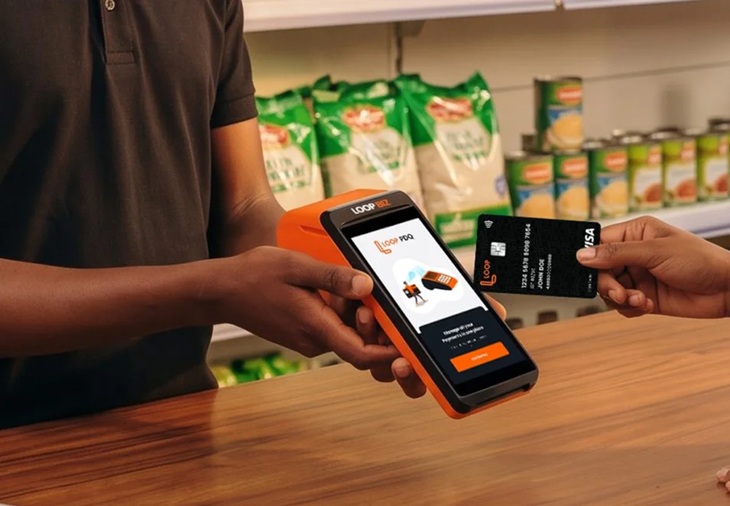
Getting paid is only half the job. The other half happens at the counter when a queue is building, and in the stockroom when you realise you ran out of your best seller two days ago. That’s where two LOOP BIZ tools come in: the LOOP POS device and the Kilimax ERP. Here’s what I’d want to know if I were setting them up for my own shop.
The LOOP POS, in plain terms
The LOOP POS is a payment machine for your counter. Customers can pay with M-Pesa, Airtel Money, LOOP, or a Visa, Mastercard or LOOP card. Registered companies, partnerships, and businesses can apply, and if you already have a LOOP BIZ Till you can request one through the LOOP BIZ portal.
A few things surprised me:

- You lease it, you don’t buy it. The device stays LOOP’s property and comes with a monthly or annual subscription. The upside is that repairs and servicing are on LOOP.
- It’s fast to get. Delivery to your premises takes about 48 hours, depending on approvals and where you’re located.
- It’s tied to your Till. The machine is mapped to one LOOP Till and can’t take payments for another business. It also won’t settle into a Safaricom M-PESA Till, so you need a LOOP Till. You can, however, choose to send money from your LOOP Till on to your bank account.
- It stays where you registered it. The device is locked to your registered location. If you run a mobile business, such as a pop-up stall or event vending, contact support and they can enable it at another location for a set period.
- It needs a connection. No Wi-Fi or mobile data means no transactions. The good news is it’ll work 24/7 as long as it’s powered on and connected.
Handling the everyday stuff
When a payment goes through, you’ll see a pop-up on the screen, get an SMS on your business line, and see it on your LOOP BIZ dashboard. If a customer insists they’ve paid but the POS hasn’t shown it, refresh the machine before you start arguing.
If the M-Pesa prompt (STK push) isn’t reaching a customer’s phone, check that you entered the right number, check your signal bars, and keep in mind that Safaricom or Airtel may be having downtime.
It also helps to know the difference between a void and a refund. A void cancels a transaction the same day, before it settles. A refund returns money after settlement. LOOP refunds are instant, mobile money takes anywhere from instantly to two hours, and cards take two to five business days depending on the bank. Mobile money reversals always go back to the number that paid, never a different one.
You can set your own end-of-day time, though you can only open and close once a day. You can pull mid-day (X) reports and end-of-day (Z) reports to print or analyse, filter your transaction history by date, type and status, and reprint any receipt. When the paper runs out, ask LOOP Support to deliver more or pick some up at your nearest LOOP store.
Keeping it secure
Only the account admin can create staff users and reset their passwords. That’s a deliberate safeguard, so treat the admin role seriously. Keep in mind that every transaction on the device lands in your Till, so LOOP assumes you can account for all of them. Only let trusted people near the machine.
If the device is lost or stolen, report it to LOOP support right away, then log in to the LOOP BIZ portal, open the POS section and deactivate it. If it simply stops working, LOOP will replace it immediately and assess it later. Technical faults are replaced free, but physical damage is charged.
A practical tip: if the battery drains fast, lower the screen brightness, close apps you aren’t using and avoid overcharging. Weak network also eats battery, because the device keeps searching for signal. If it freezes, hold down the power button to force a restart.
Kilimax ERP: your back office, sorted
The POS handles the counter. Kilimax handles everything behind it. It’s an optional subscription (monthly or annual) that you switch on inside the app, and it logs you in with your existing merchant account, so there are no extra passwords to remember.
It covers inventory management, stock tracking with low-stock alerts, staff profiles with role-based access (cashier, manager, admin), sales tracking and performance dashboards. If you have several branches, you can manage stock and reports for each one from a single dashboard. Sales from your merchant account sync automatically, so stock and revenue update as you sell.
The main ERP is built for a desktop computer, not a phone. There’s a separate mobile POS app for your staff, but it only handles checkout: updating stock as items sell and starting mobile money or LOOP payments.
The feature I like most is the WhatsApp reports. Kilimax sends key reports to your WhatsApp number at set times every day, including daily stock levels and restocking alerts. For an owner who isn’t always in the shop, that’s a small thing that makes a big difference.
Two honest caveats. Kilimax’s sales reports can help with accounting and tax filing, but they don’t replace a qualified accountant. And if you cancel your subscription, you lose access to the features. Your history is kept for a period set by LOOP’s policy, and you can resubscribe at any time.
For the tech-savvy: IPN
If you run your own system, Instant Payment Notifications (IPN) can push payment alerts from your LOOP Till straight to a URL you choose. It’s free for now and runs over the internet, so no VPN is needed. It only supports JSON, allows just one URL, and only covers payments into your LOOP Till. You’ll need an IT professional to build the integration on your side.
Bottom line
Together, the POS and Kilimax turn LOOP BIZ from a place where money arrives into a system that runs your shop. If something goes wrong, the support number is printed on the back of your POS.
Read Also: One device, every payment: LOOP BIZ now takes cards and M-Pesa on one PDQ</