
mySafaricom App Receives Major Update With Bill Manager, M-Pesa 1Tap and QR Code
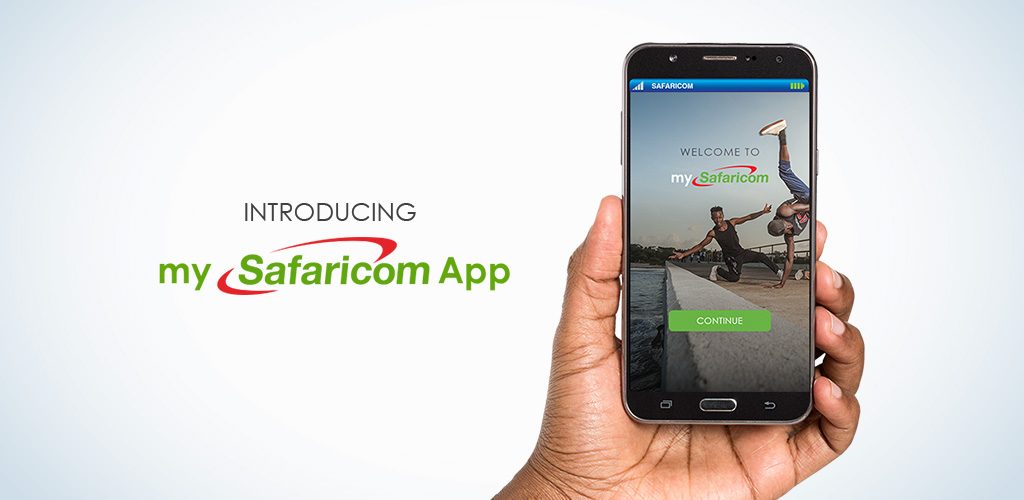
Safaricom (NSE: SCOM) customers can now access M-Shwari, KCB M-PESA, M-PESA Bill Manager and Data Usage on the updated version of the mySafaricom app.
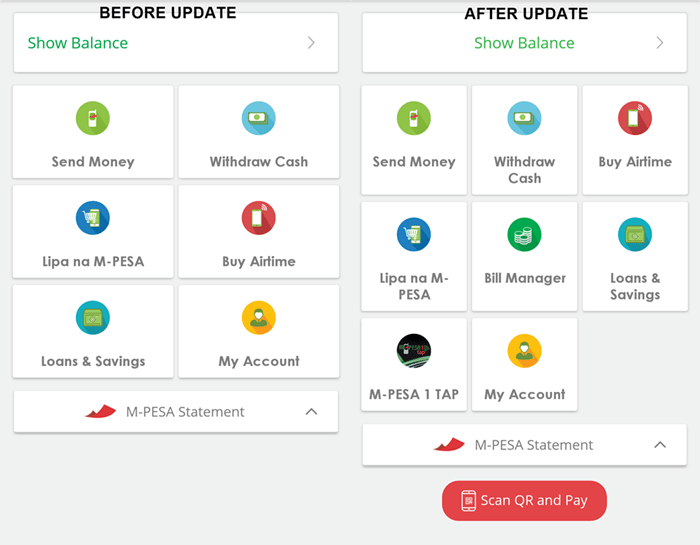
Version 1.3 of the app, available through the Google Play Store, brings with it new M-PESA features including a Lipa Na M-PESA. Bill Manager, in-phone M-PESA 1Tap capabilities and the ability to make Lipa Na M-PESA payments by scanning a QR code.
“In 2016, we introduced the mySafaricom app as a modern and convenient way for smartphone users to interact with our services. This new update brings a range of refinements that will further increase the ease and convenience enjoyed by our customers whenever they interact with our different services,” said Joseph Ogutu, Director – Strategy, Safaricom.
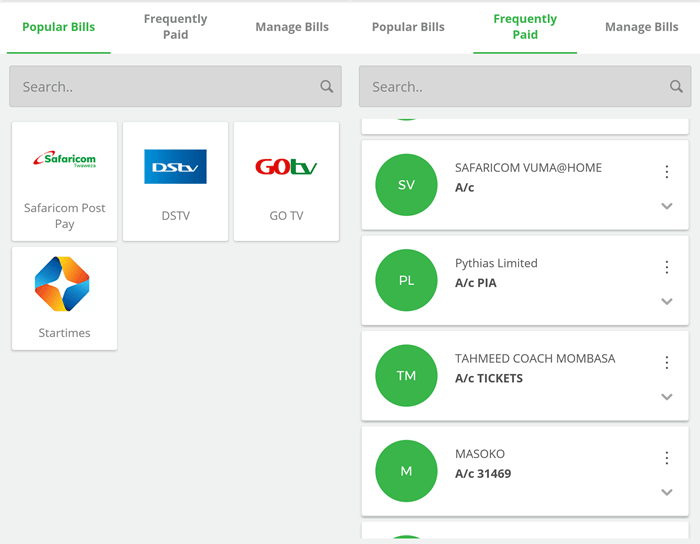
The Bill Manager feature empowers customers to manage all their bills in one place and also provides a list of popular bills and those frequently accessed by a customer. The new feature increases the accuracy of payments by eliminating the need to key in the PayBill number and also increases the speed of making a payment by cutting down on the number of steps previously taken. Customers can also set bill reminders through the Bill Manager feature.
M-PESA customers will now also have the option to make M-PESA Agent withdrawals and Lipa Na M-PESA payments by scanning a QR code, then keying in the amount. This new feature further increases the speed and accuracy when making payments on the service. Safaricom has already began rolling out new Lipa Na M-PESA stickers with QR codes to the more than 140,000 M-PESA agents and 80,000 Lipa Na M-PESA merchants.

Safaricom has also introduced the option of making Lipa Na M-PESA payments through the recently rolled out M-PESA 1Tap solution. Customers with Android handsets that support Near Field Communication (NFC) technology can configure their phones as a virtual M-PESA 1Tap card, allowing them to tap their phones to make payments. This will complement the current M-PESA 1Tap stickers, wrist bands and cards.
The new update also introduces a Data Usage manager that allows customers to view their data usage for a given period and a list of applications and data used by each app during the period. The feature can be accessed by selecting the “Data Usage” feature under the app’s Menu.

About David Indeje
David Indeje is a writer and editor, with interests on how technology is changing journalism, government, Health, and Gender Development stories are his passion. Follow on Twitter @David_IndejeDavid can be reached on: (020) 528 0222 / Email: info@sokodirectory.com
- January 2026 (34)
- January 2025 (119)
- February 2025 (191)
- March 2025 (212)
- April 2025 (193)
- May 2025 (161)
- June 2025 (157)
- July 2025 (227)
- August 2025 (211)
- September 2025 (270)
- October 2025 (297)
- November 2025 (230)
- December 2025 (219)
- January 2024 (238)
- February 2024 (227)
- March 2024 (190)
- April 2024 (133)
- May 2024 (157)
- June 2024 (145)
- July 2024 (136)
- August 2024 (154)
- September 2024 (212)
- October 2024 (255)
- November 2024 (196)
- December 2024 (143)
- January 2023 (182)
- February 2023 (203)
- March 2023 (322)
- April 2023 (297)
- May 2023 (267)
- June 2023 (214)
- July 2023 (212)
- August 2023 (257)
- September 2023 (237)
- October 2023 (264)
- November 2023 (286)
- December 2023 (177)
- January 2022 (293)
- February 2022 (329)
- March 2022 (358)
- April 2022 (292)
- May 2022 (271)
- June 2022 (232)
- July 2022 (278)
- August 2022 (253)
- September 2022 (246)
- October 2022 (196)
- November 2022 (232)
- December 2022 (167)
- January 2021 (182)
- February 2021 (227)
- March 2021 (325)
- April 2021 (259)
- May 2021 (285)
- June 2021 (272)
- July 2021 (277)
- August 2021 (232)
- September 2021 (271)
- October 2021 (304)
- November 2021 (364)
- December 2021 (249)
- January 2020 (272)
- February 2020 (310)
- March 2020 (390)
- April 2020 (321)
- May 2020 (335)
- June 2020 (327)
- July 2020 (333)
- August 2020 (276)
- September 2020 (214)
- October 2020 (233)
- November 2020 (242)
- December 2020 (187)
- January 2019 (251)
- February 2019 (215)
- March 2019 (283)
- April 2019 (254)
- May 2019 (269)
- June 2019 (249)
- July 2019 (335)
- August 2019 (293)
- September 2019 (306)
- October 2019 (313)
- November 2019 (362)
- December 2019 (318)
- January 2018 (291)
- February 2018 (213)
- March 2018 (275)
- April 2018 (223)
- May 2018 (235)
- June 2018 (176)
- July 2018 (256)
- August 2018 (247)
- September 2018 (255)
- October 2018 (282)
- November 2018 (282)
- December 2018 (184)
- January 2017 (183)
- February 2017 (194)
- March 2017 (207)
- April 2017 (104)
- May 2017 (169)
- June 2017 (205)
- July 2017 (189)
- August 2017 (195)
- September 2017 (186)
- October 2017 (235)
- November 2017 (253)
- December 2017 (266)
- January 2016 (164)
- February 2016 (165)
- March 2016 (189)
- April 2016 (143)
- May 2016 (245)
- June 2016 (182)
- July 2016 (271)
- August 2016 (247)
- September 2016 (233)
- October 2016 (191)
- November 2016 (243)
- December 2016 (153)
- January 2015 (1)
- February 2015 (4)
- March 2015 (164)
- April 2015 (107)
- May 2015 (116)
- June 2015 (119)
- July 2015 (145)
- August 2015 (157)
- September 2015 (186)
- October 2015 (169)
- November 2015 (173)
- December 2015 (205)
- March 2014 (2)
- March 2013 (10)
- June 2013 (1)
- March 2012 (7)
- April 2012 (15)
- May 2012 (1)
- July 2012 (1)
- August 2012 (4)
- October 2012 (2)
- November 2012 (2)
- December 2012 (1)