
You Can Now Pay for NSSF Using the NSSF Mini App on the M-PESA Super APP
KEY POINTS
The NSSF Mobile App is a useful tool that helps you remit your contributions conveniently and without hassle. It is a free app that anyone can also use to determine whether they are reaching their retirement goals or if they should re-evaluate their strategy.
KEY TAKEAWAYS
The NSSF Mini App is all too important, especially now that saving for pension has gone beyond the formally employed persons. It has extended to the informal sector, including small traders such as kiosk operators, Mama Mboga, and fruit vendors.
Coming up with a retirement strategy is a daunting task, particularly with the countless responsibilities and emergencies that creep up each now and then. Fortunately, however, with today’s advanced technology, increased smartphone ownership, and internet availability, there are many tools that can make saving for your goals highly convenient – case in point NSSF Mini App.
The NSSF Mobile App is a useful tool that helps you remit your contributions conveniently and without hassle. It is a free app that anyone can also use to determine whether they are reaching their retirement goals or if they should re-evaluate their strategy.
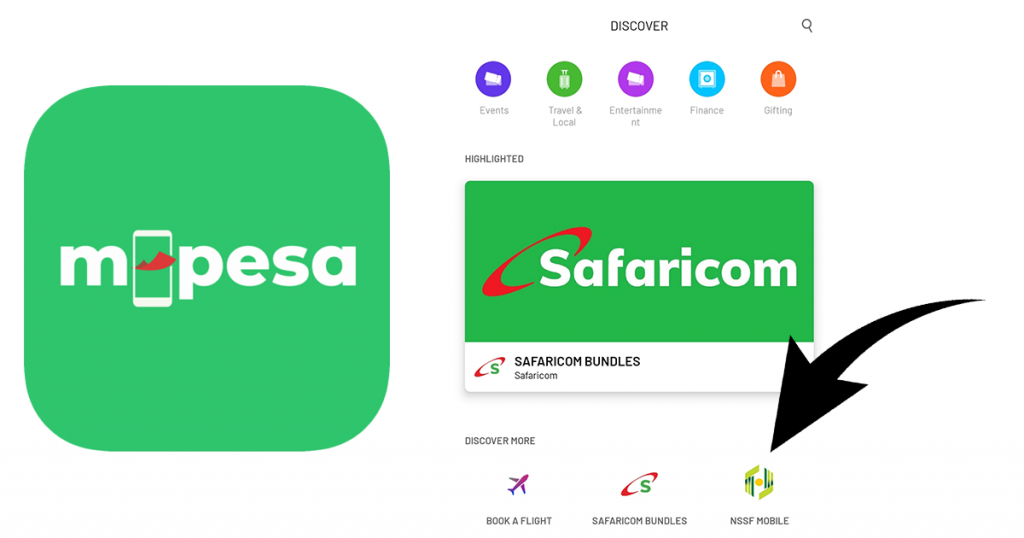
The NSSF Mini Mobile App can be found on the Safaricom M-PESA super app. You can find it under M-PESA App’s “Discover” section.

What Members Can Do with the NSSF Mini App on M-Pesa Super App:
- Register for Membership
Through the NSSF Mini App, non-members can register for NSSF and begin making their contributions. You will need a Safaricom number to proceed. If your number is already registered, you can proceed to the “Login” section.
- Track Contributions (Check NSSF statement)
The NSSF Mini App also allows you to track the progress of your retirement savings. Once you log in to the app, you can check your NSSF account balance and conveniently make your contributions effortlessly.
- Top Up and Manage their NSSF Account
With the availability of this app on the M-PESA super application, making your contributions is nowadays more convenient and more accessible, unlike before. You can pay directly from the M-PESA app in a process that takes less than a minute. (You only need to enter your Mpesa pin to give consent)
- Make Tenant Purchase Scheme (TPS) Payments
If you are on the NSSF Tenant Purchase Scheme (TPS), you can make rent and service charge payments through your M-PESA account. With this cashless payment solution, you will no longer have to travel or queue at the bank to make payments. You can also check TPS statements through the Mini App.
ALSO READ: Global Palm Oil Prices Hit A 6 Week High On Fears Of Short Supply
The NSSF Mini App is all too important, especially now that saving for pension has gone beyond the formally employed persons. It has extended to the informal sector, including small traders such as kiosk operators, Mama Mboga, and fruit vendors.
Through the Haba Haba Na NSSF product, these entrepreneurs can make long-term retirement goals by contributing as low as 25 shillings a day. They are also eligible to withdraw up to 50 percent of these funds after consistently contributing for 5 years.
Meanwhile, NSSF continues to explore different ways to provide its customers with even more convenience and access to useful services by establishing critical partnerships with other organizations and prioritizing innovation for a better customer experience.
Also, you can register with NSSF using the USSD *303# or by visiting the nearest NSSF office. Click Here for more information on member registration.
If you are an employer interested in registering yourself/your company with NSSF, please Click Here for more information on employer registration.

About Soko Directory Team
Soko Directory is a Financial and Markets digital portal that tracks brands, listed firms on the NSE, SMEs and trend setters in the markets eco-system.Find us on Facebook: facebook.com/SokoDirectory and on Twitter: twitter.com/SokoDirectory

- January 2026 (220)
- February 2026 (246)
- March 2026 (286)
- April 2026 (45)
- January 2025 (119)
- February 2025 (191)
- March 2025 (212)
- April 2025 (193)
- May 2025 (161)
- June 2025 (157)
- July 2025 (227)
- August 2025 (211)
- September 2025 (270)
- October 2025 (297)
- November 2025 (230)
- December 2025 (219)
- January 2024 (238)
- February 2024 (227)
- March 2024 (190)
- April 2024 (133)
- May 2024 (157)
- June 2024 (145)
- July 2024 (136)
- August 2024 (154)
- September 2024 (212)
- October 2024 (255)
- November 2024 (196)
- December 2024 (143)
- January 2023 (182)
- February 2023 (203)
- March 2023 (322)
- April 2023 (297)
- May 2023 (267)
- June 2023 (214)
- July 2023 (212)
- August 2023 (257)
- September 2023 (237)
- October 2023 (264)
- November 2023 (286)
- December 2023 (177)
- January 2022 (293)
- February 2022 (329)
- March 2022 (358)
- April 2022 (292)
- May 2022 (271)
- June 2022 (232)
- July 2022 (278)
- August 2022 (253)
- September 2022 (246)
- October 2022 (196)
- November 2022 (232)
- December 2022 (167)
- January 2021 (182)
- February 2021 (227)
- March 2021 (325)
- April 2021 (259)
- May 2021 (285)
- June 2021 (272)
- July 2021 (277)
- August 2021 (232)
- September 2021 (271)
- October 2021 (304)
- November 2021 (364)
- December 2021 (249)
- January 2020 (272)
- February 2020 (310)
- March 2020 (390)
- April 2020 (321)
- May 2020 (335)
- June 2020 (327)
- July 2020 (333)
- August 2020 (276)
- September 2020 (214)
- October 2020 (233)
- November 2020 (242)
- December 2020 (187)
- January 2019 (251)
- February 2019 (215)
- March 2019 (283)
- April 2019 (254)
- May 2019 (269)
- June 2019 (249)
- July 2019 (335)
- August 2019 (293)
- September 2019 (306)
- October 2019 (313)
- November 2019 (362)
- December 2019 (318)
- January 2018 (291)
- February 2018 (213)
- March 2018 (275)
- April 2018 (223)
- May 2018 (235)
- June 2018 (176)
- July 2018 (256)
- August 2018 (247)
- September 2018 (255)
- October 2018 (282)
- November 2018 (282)
- December 2018 (184)
- January 2017 (183)
- February 2017 (194)
- March 2017 (207)
- April 2017 (104)
- May 2017 (169)
- June 2017 (205)
- July 2017 (189)
- August 2017 (195)
- September 2017 (186)
- October 2017 (235)
- November 2017 (253)
- December 2017 (266)
- January 2016 (164)
- February 2016 (165)
- March 2016 (189)
- April 2016 (143)
- May 2016 (245)
- June 2016 (182)
- July 2016 (271)
- August 2016 (247)
- September 2016 (233)
- October 2016 (191)
- November 2016 (243)
- December 2016 (153)
- January 2015 (1)
- February 2015 (4)
- March 2015 (164)
- April 2015 (107)
- May 2015 (116)
- June 2015 (119)
- July 2015 (145)
- August 2015 (157)
- September 2015 (186)
- October 2015 (169)
- November 2015 (173)
- December 2015 (205)
- March 2014 (2)
- March 2013 (10)
- June 2013 (1)
- March 2012 (7)
- April 2012 (15)
- May 2012 (1)
- July 2012 (1)
- August 2012 (4)
- October 2012 (2)
- November 2012 (2)
- December 2012 (1)